Changelogs
Stay up to date with the latest changes and enhancements.
Stay up to date with the latest changes and enhancements.

Stay up to date with the latest changes and enhancements.
27. Aug 2026
Share
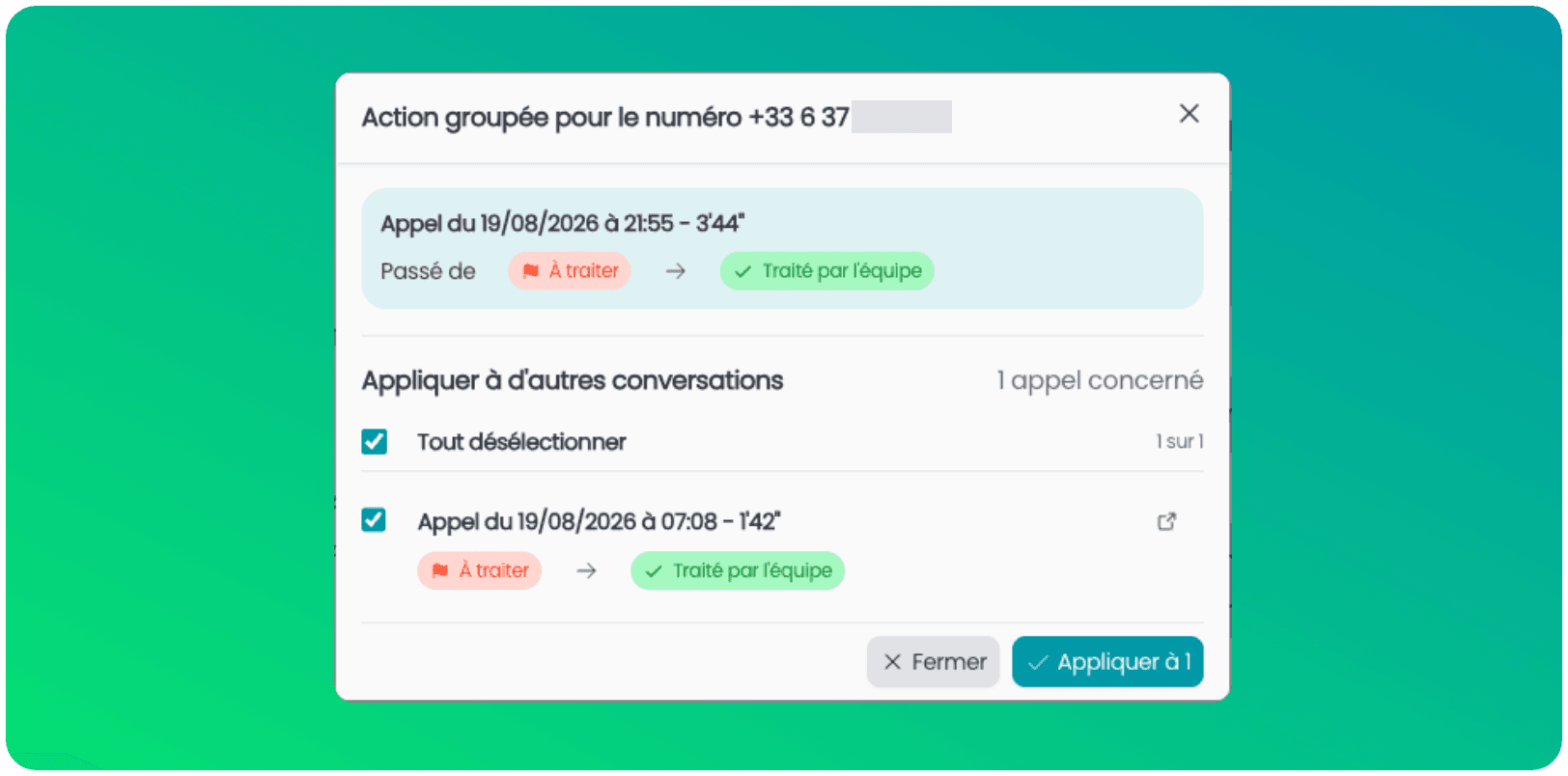
The same customer calls multiple times in a week? No more back-and-forth to requalify each call one by one.
Automatic suggestion: as soon as you change the status of a call, diago detects other recent calls from this same number that are still "To process" or "Awaiting customer".
One click to align everything: select the relevant conversations and apply the same status in a single action.
Nothing is set in stone: you remain in control to uncheck conversations that are not about the same subject, and you have a few seconds to cancel if needed.
 Try it on your next processed call: the window opens automatically when other conversations from the same number are involved.
 For now, the bulk action only works on status changes.
29. Apr 2026
Share
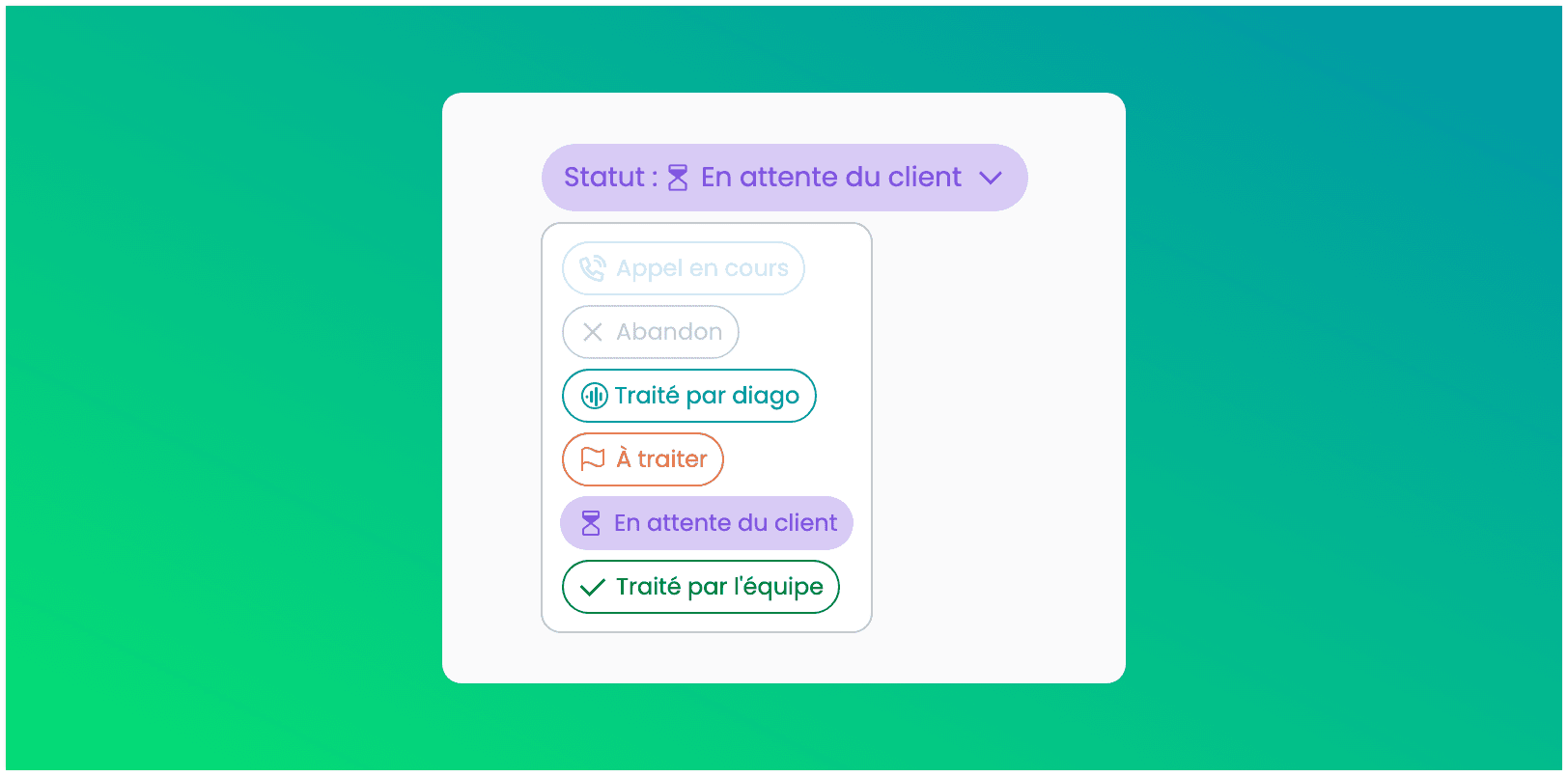
Gain clarity in tracking your conversations! We’ve added the status " Waiting on customer" so you can isolate pending cases.
Now instantly tell apart the conversations that require action from you from those that are waiting on a reply from your contact.
20. Apr 2026
Share
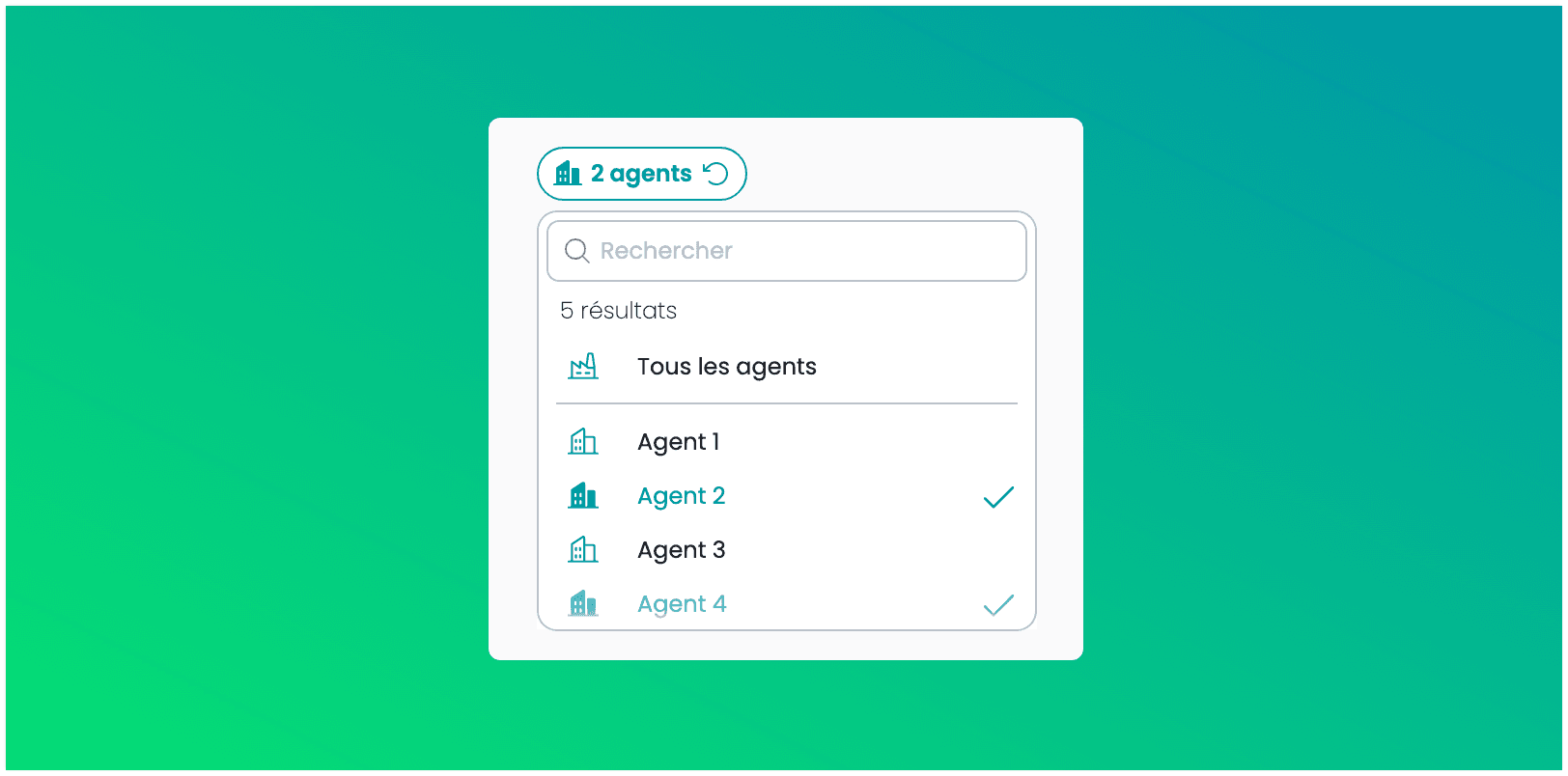
Gain efficiency in managing your network! You can now select several agents at the same time or choose the "All agents" view on the Conversations page.
This update lets you see your group's consolidated data in a single click, for easier management of your dealerships.
20. Apr 2026
Share
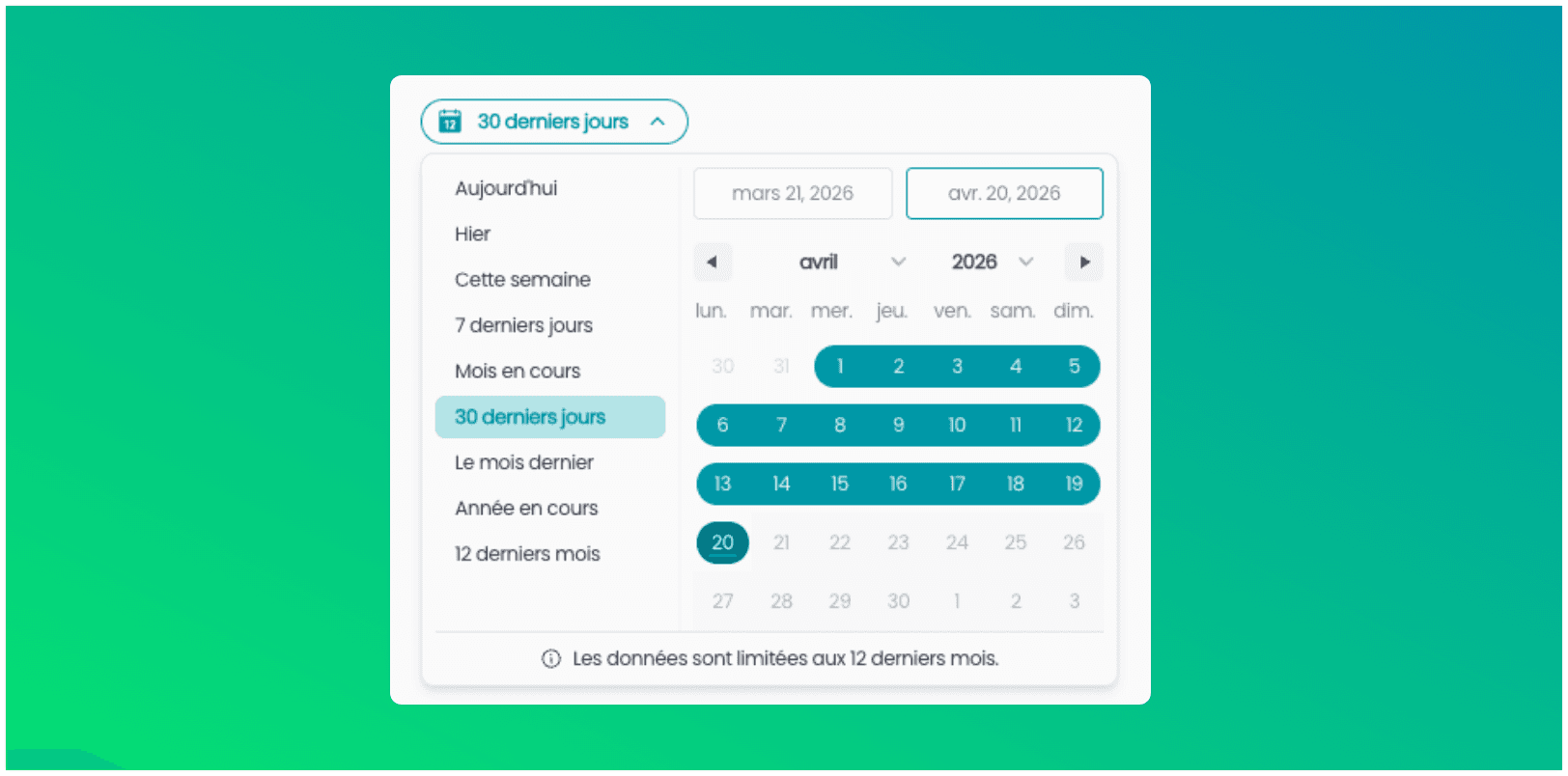
We’ve optimized the loading of the Conversations page to give you a smoother navigation experience.
Default view: To ensure instant responsiveness, your conversations from the last 30 days are now displayed as a priority.
Full history: You can still use the time period selector to view your data going back up to the last 12 months.
In line with GDPR, your data history is available over a rolling period of 12 months.
24. Mar 2026
Share
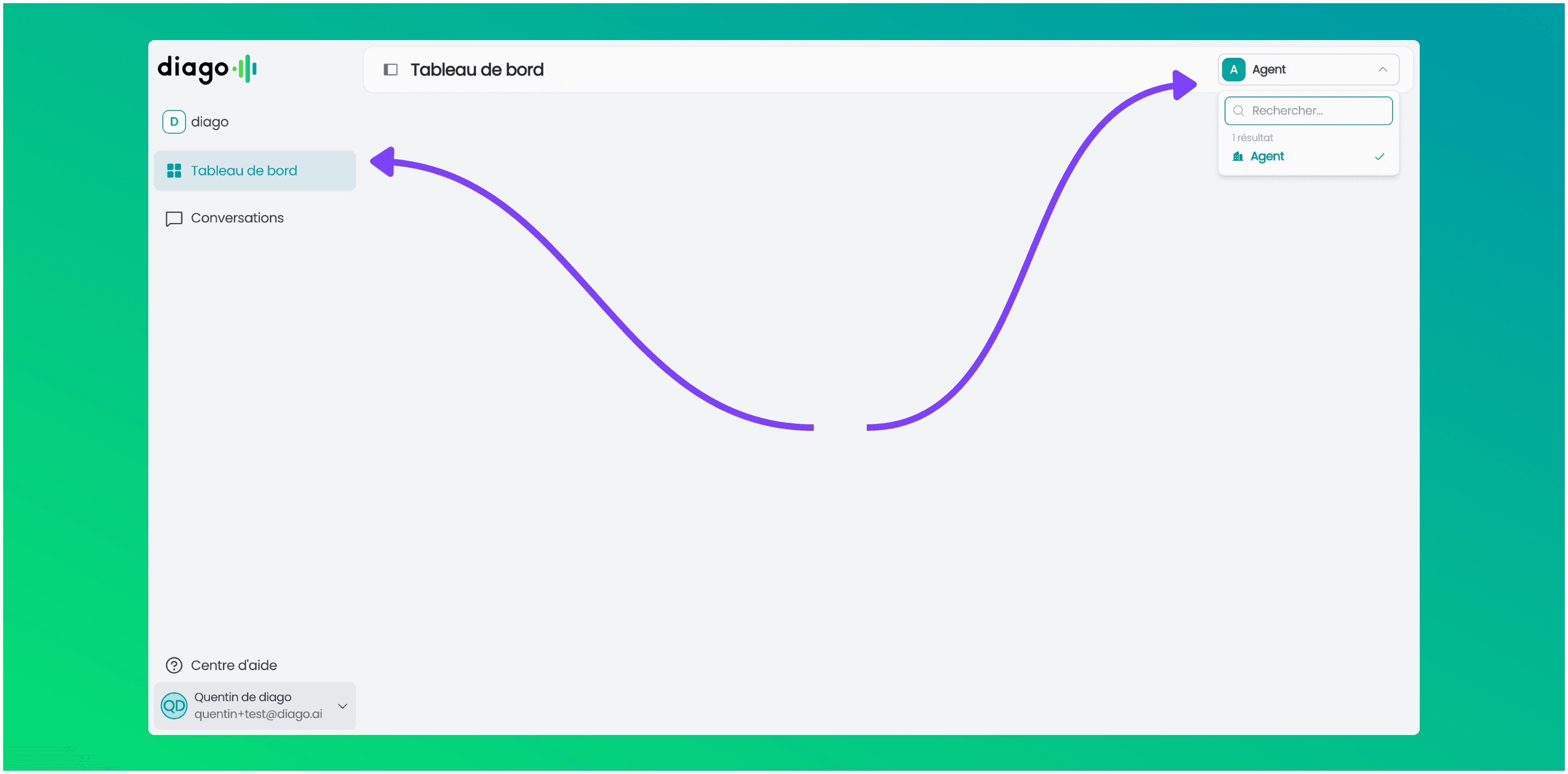
The agent selector is leaving the sidebar and is now located at the top right.
We also took advantage of this update to redesign the sidebar, giving you a cleaner and more harmonious interface.
Feel free to share your feedback with us.
Happy browsing 
16. Feb 2026
Share
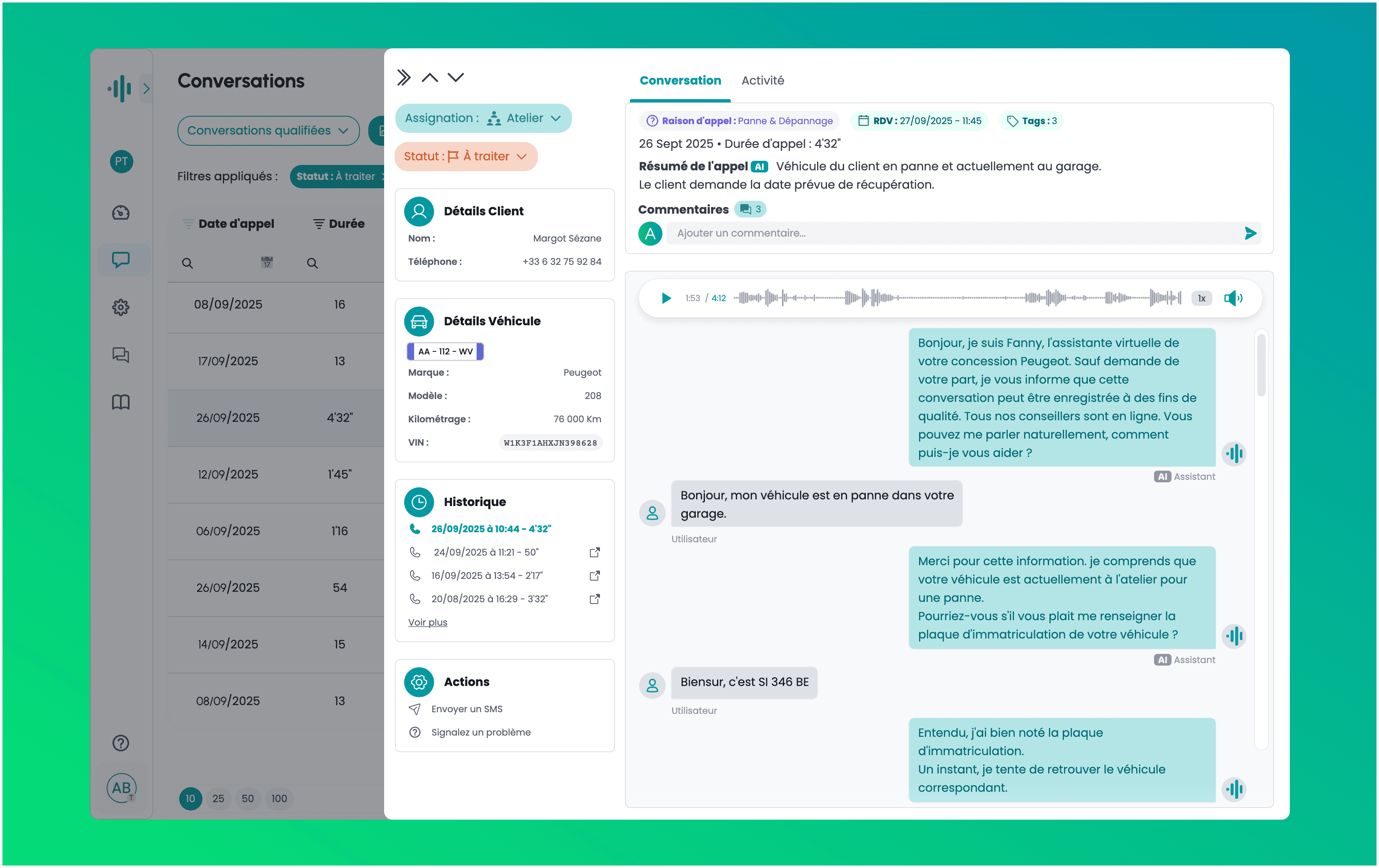
We redesigned your conversation detail page to give you more context and speed.
Vehicle & Customer Sheet: Find the model, mileage, and call history clearly displayed on the left.
Unified History: Instantly identify your customer’s journey. The full call history for this number now appears directly on the left.
AI Summary: Find an automatic summary of the conversation at the top of the page.
Interactive Audio: Need to listen back to a detail? Click on any sentence in the transcript to sync the audio instantly to that exact moment.
Open a conversation to discover your new interface!

27. Jan 2026
Share
You now receive an email notification as soon as a request is assigned to you personally (or to your team).
20. Jan 2026
Share
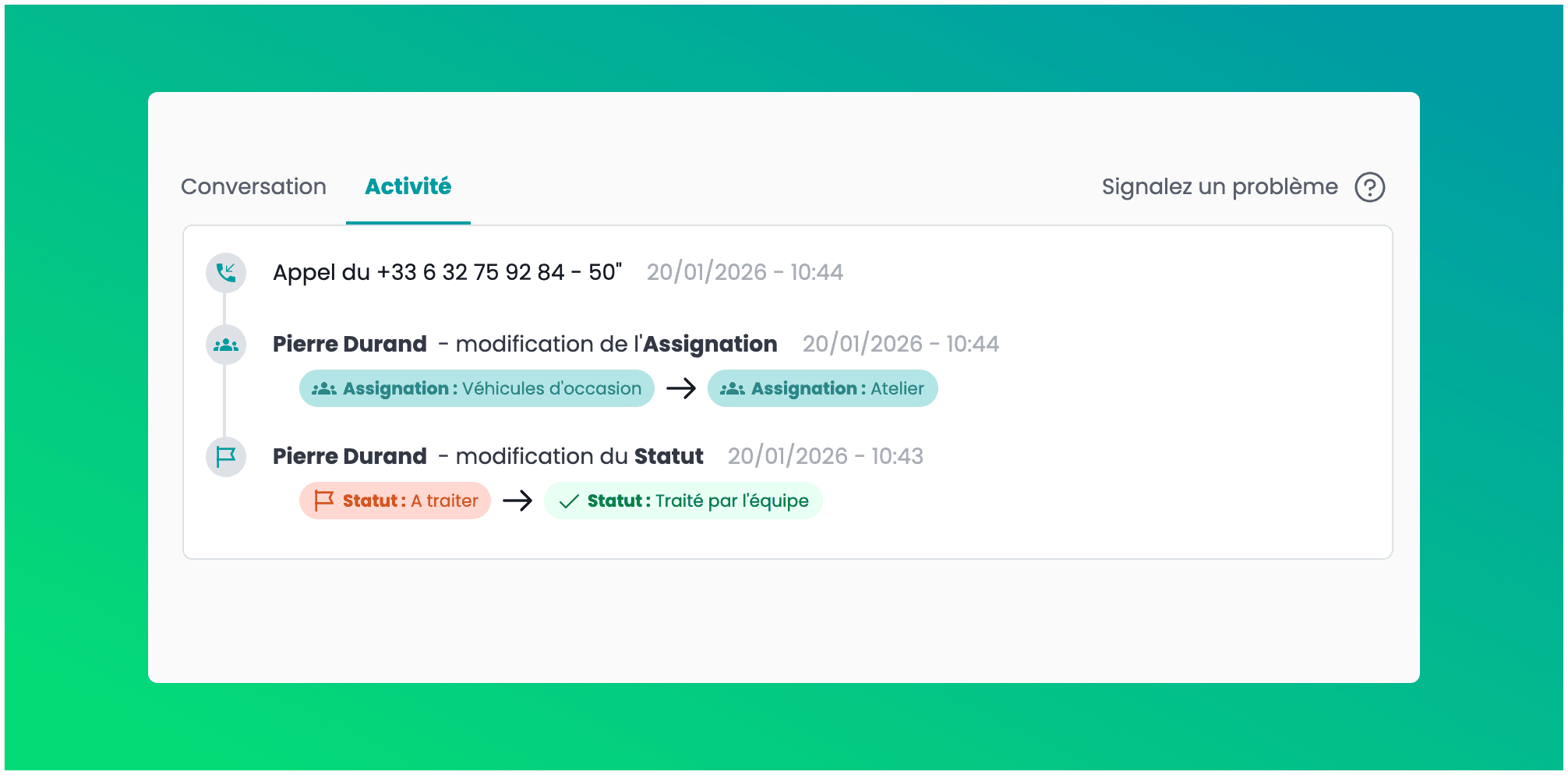
A new “Activity” tab is now available in your conversations.
See the full history of actions to know who changed the assignment or status, and when. Other types of events will be added to this log soon.
14. Jan 2026
Share
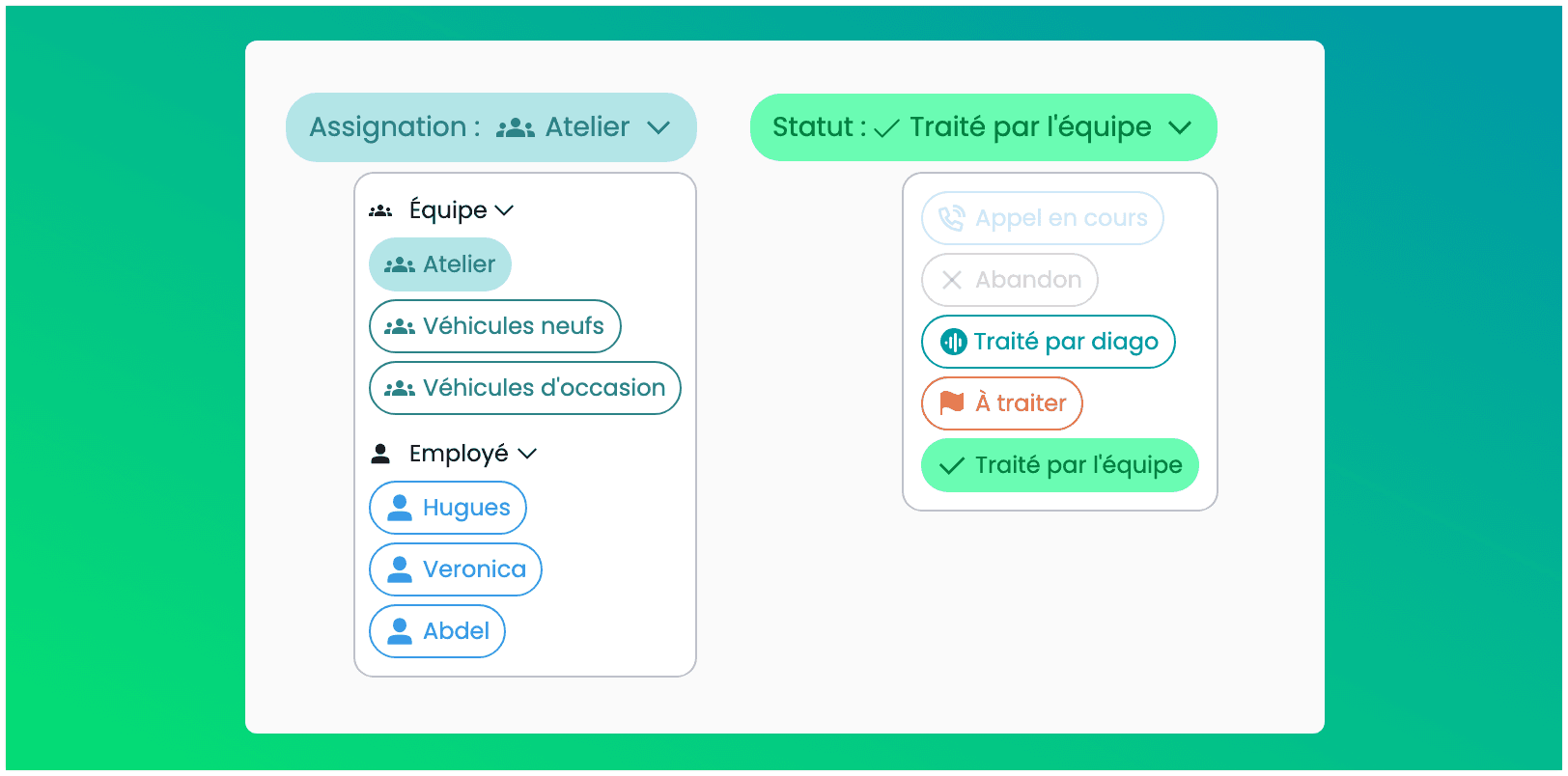
You can now manually take back control of a conversation!
Reassign a request to another teammate or a team in one click.
Change the status (e.g. "Handled by the team") to keep your cases up to date.
 Accessible from the conversation list or the detailed view of a conversation.
You don't see the option? Contact us via the Help Center to enable it.
07. Jan 2026
Share
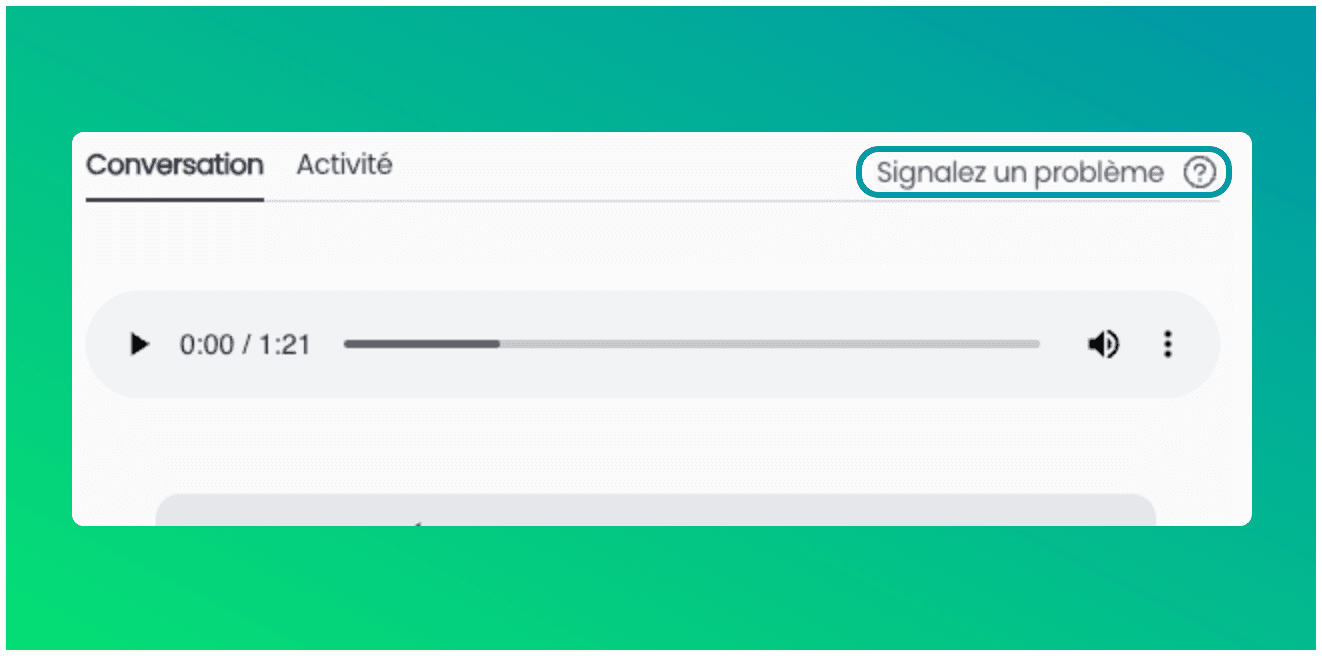
We're making it easier for you to share field feedback! You can now report a problem (transcription error, wrong redirection, etc.) directly from the call or message thread.
How does it work?
Open a conversation.
Click on the new "Report a problem" button.
Select the type of problem. Our tech team instantly receives the alert for analysis.
Faster for you, more efficient for us!